
You might know that I began consulting with Garmin back in 2018 to develop a new type of tool for drivers, to make it easier to improve one’s performance. The Garmin Catalyst was the result, which launched to the public in late 2020, and since then, has become a standard for amateur track day drivers and club racers.
The Catalyst really created a whole other category of device to help drivers, similar to the way snowboarding created a new category of “sliding down a snowy mountain.”
One of the things I’ve enjoyed about consulting with Garmin is their approach to making their products better and better, with continual improvements. And now, the biggest update to the Catalyst is… the Catalyst 2.
Some background…
The first time I used some form of data system to help me improve my driving was when I purchased a g-Analyst way back in the late eighties (Anyone remember them? The g-Analyst, not the eighties!). I then got into the big time in 1990 with the Pi system when I was driving Indy cars. In the years since, I’ve used almost every different brand and type of data/telemetry system in existence (and some that have come and gone).
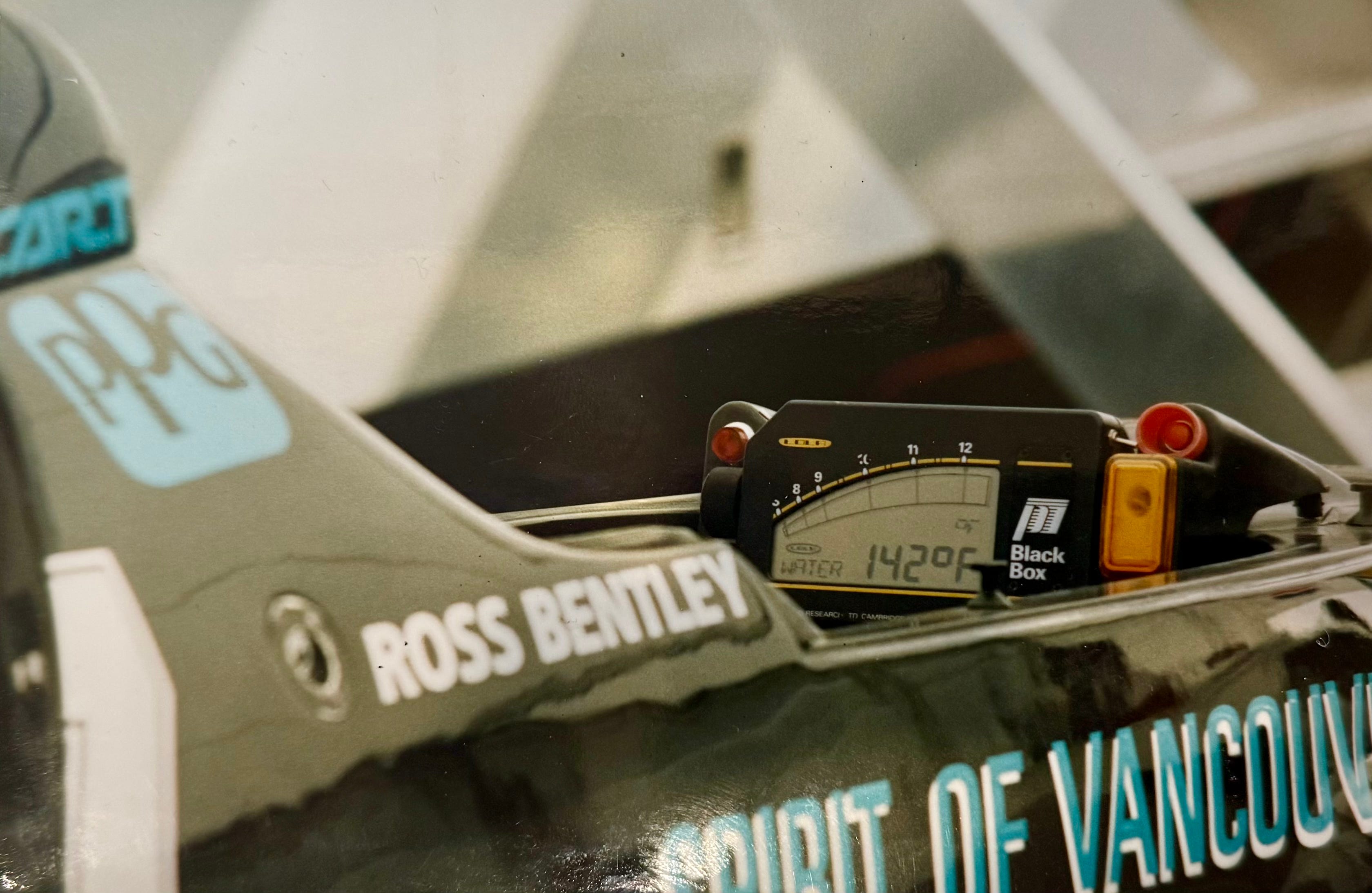
A common thread among all of the data systems was that they seemed to be developed by engineers, to be used by engineers. As a driver, it meant figuring out how to set up the system, learn the software, download the data from the car after each session, and interpret the squiggly lines on the screen in a way that related to one’s driving. With experience, all of that is doable, especially if your mind works in the way that the engineers who designed the systems wanted it to.
But for many drivers, all of that was just too much, and they didn’t bother to use the data tool that they’d purchased. It became an expensive lap timer at best, and a weight ballast at worst. Or they didn’t buy one, at all.
That was the driving theme behind the Garmin Catalyst: Developed by engineers AND drivers solely FOR drivers. It really was meant to be a driving performance optimizer.
I was very fortunate to have been one of the drivers consulted in the development of the first Catalyst, and things like the three Opportunities (prioritizing things a driver should focus on to improve), real-time confirming audio feedback, and the Optimal Lap video (your best segments of all your laps stitched together into a video that you can watch to program your mind to drive your best laps) came out of my experience from coaching thousands of drivers.
Now, after a few years of development, the Catalyst 2 has been launched. It’s taken everything that was great about the first-gen Catalyst, but made it even easier and more convenient to use. It gives you more time to focus on what’s most important: You and your driving.
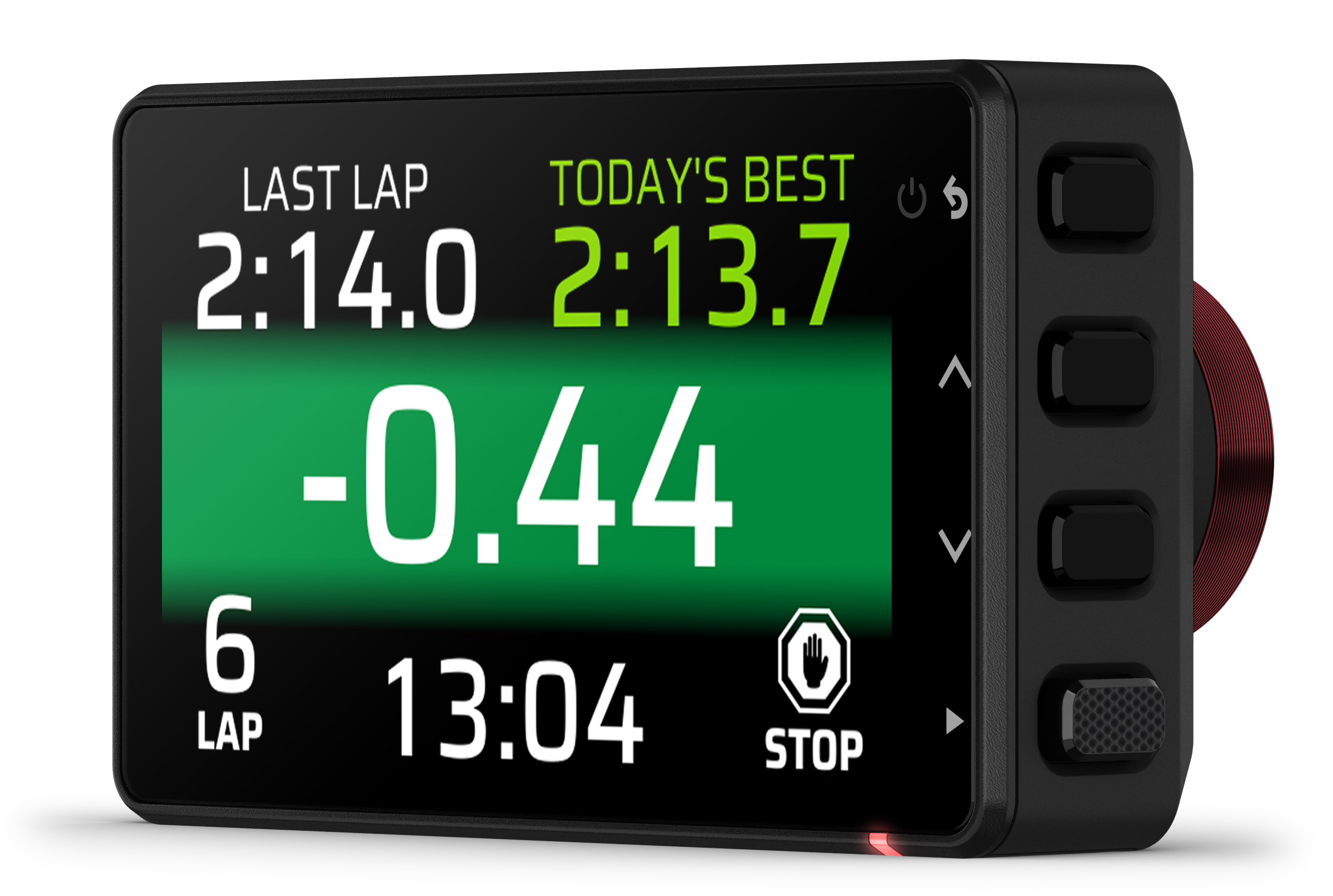
Remember, the Catalyst 2 is not a data system to help you tune your car’s performance (a product category like skiing). It’s a driver performance optimizer to help you tune your driving (a different product category, like snowboarding).
Some drivers didn’t like the size of the tablet (as well as the need for both it and a small camera to take up your view) in the first-generation Catalyst. With Catalyst 2, it’s all in one package (camera, GPS, accelerometer, speaker), and is much, much smaller in size. No longer will it be restricting a driver’s view.
This also means installation is even simpler than the original. Sure, once you installed the original Catalyst—which took no more than 10 minutes in most cars—there wasn’t much to do. But I’ve installed Catalyst 2 in less than a minute, and that means more time to focus on your driving.
Also, rather than reviewing the data and video on the Catalyst device, that now happens in an app on your Android or iOS phone or a tablet.
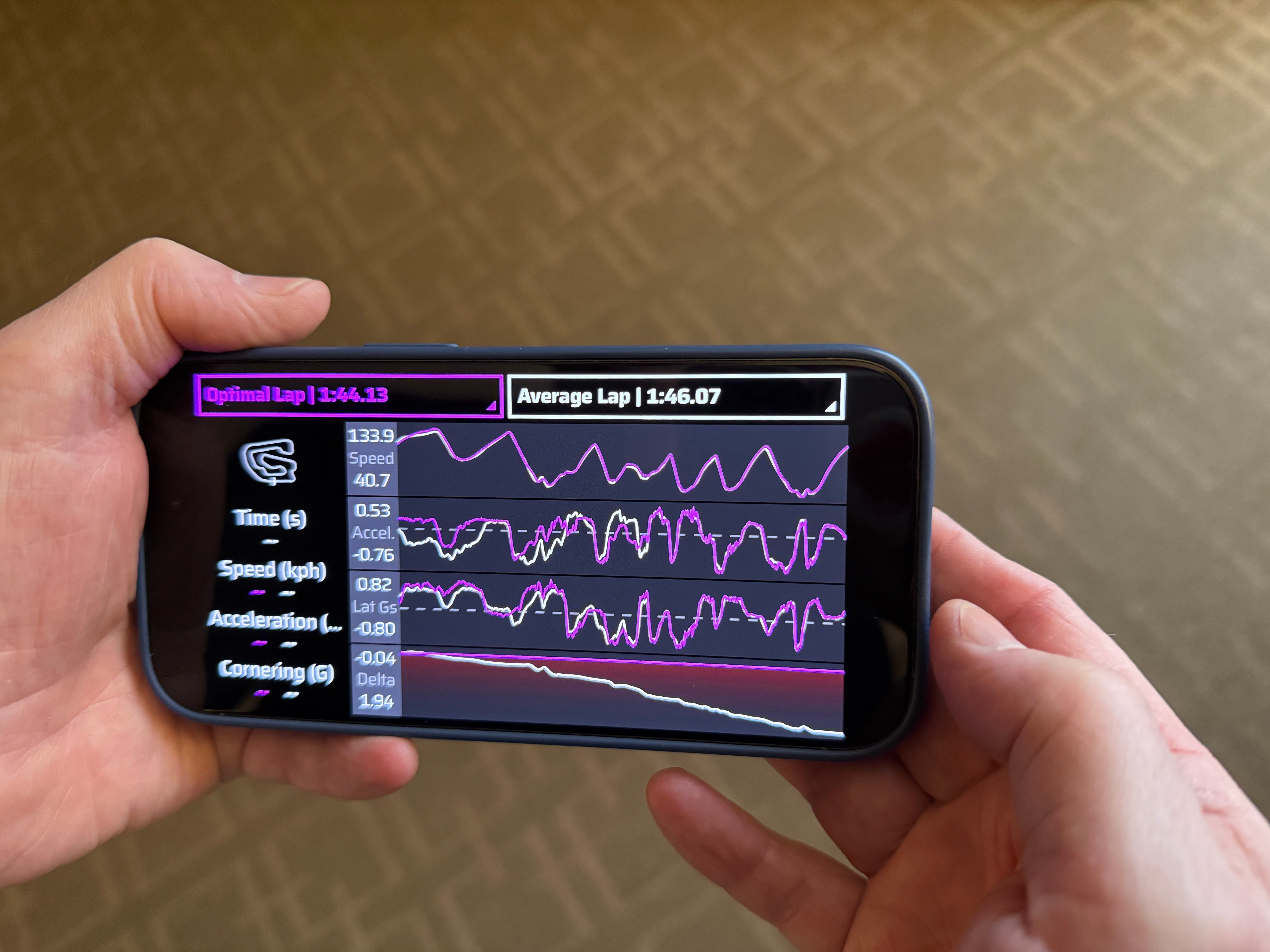
And that’s one of the things I love about the Catalyst 2: I have my data and video with me at all times, really, because it’s on my phone. I don’t have to carry my Catalyst device with me, or a laptop where I’ve downloaded data and video from a complicated data system. It’s all about making your data and video easy to access and easy to use—to make you an even better driver.
There are many other technical updates and benefits to the Catalyst 2, such as the video being 1440p versus 1080p on the original Catalyst. Also, the GPS is now 25Hz, rather than 10Hz. And then there are other techy things that I don’t really understand, but have noticed a positive difference in how accurate the feedback is.
I’m also really excited that you’re able to easily share your data and video with others with Catalyst 2. With the Leaderboard and optional Vault, you can share your driving with friends, social media, and coaches—even remotely. The Catalyst 2 makes it easy for someone not at the track to review your sessions with you, compare them with others, and even coach you. Since coaching is my thing, this makes everything much easier for me and a driver I’m coaching (not to mention, saving on costs to the driver).
As drivers, we want to know what to focus our attention on each time we go on track, and how to execute it. That’s one of the Catalyst 2’s superpowers. But even better, it gives immediate, live feedback while you’re driving so you know whether a change you’ve made has helped or not.
Why Catalyst 2? Installation is easier and faster than with the first Catalyst; you can share data and video with others—friends, social media, or a coach; and the quality and accuracy of video and GPS track positioning in a smaller, all-in-one package makes the upgrade a no-brainer.
As you may know, I’m now coaching and developing driving programs at the Vancouver Island Motorsport Circuit, and I was able to do some final testing of the Catalyst 2 at the track a couple of weeks ago. There are at least two sections of track that are not obvious as to how best to drive them. In other words, there is more than one line that could work—so the question that I and the other instructors at VIMC have talked about is, “Which is best?”
That reminded me of the very first time I tested the first-gen Catalyst at Heartland Park. Turn 3 is/was (the track was closed, but I hear rumors that it’s coming back) a long, 180-degree, fairly fast corner, and most drivers had been driving it with a late turn-in and apex. At one point I questioned whether more of a “diamond line” might be faster, and the locals said that some have tried it, but not many.
What a perfect test of the Catalyst, I thought! I went out and ran 4 to 5 laps with one line, making sure I was getting the most out of it; then I drove another 4 to 5 laps with the other line. The result? Mainly, the Catalyst compared the different lines, and then began coaching me (with its audio feedback) to leave my braking a touch later, but dive in on a tighter line, let the car ease out to almost mid-track in the middle of the corner, then using the trail braking to finish rotating the car and heading back to clip the same late apex that I’d have used with the more traditional late-turn-in line.
Instead of what felt good, or what I could remember after a session on track, or looking at squiggly lines overlaid on top of each other, or even my overall lap time (which was affected by many other minor differences throughout the laps), the Catalyst gave me real-time feedback by saying “New best” (which means the amount of time I spent in that segment of the track was faster). And as I wrote about last week, a key to deliberate (efficient) practice is having immediate feedback.
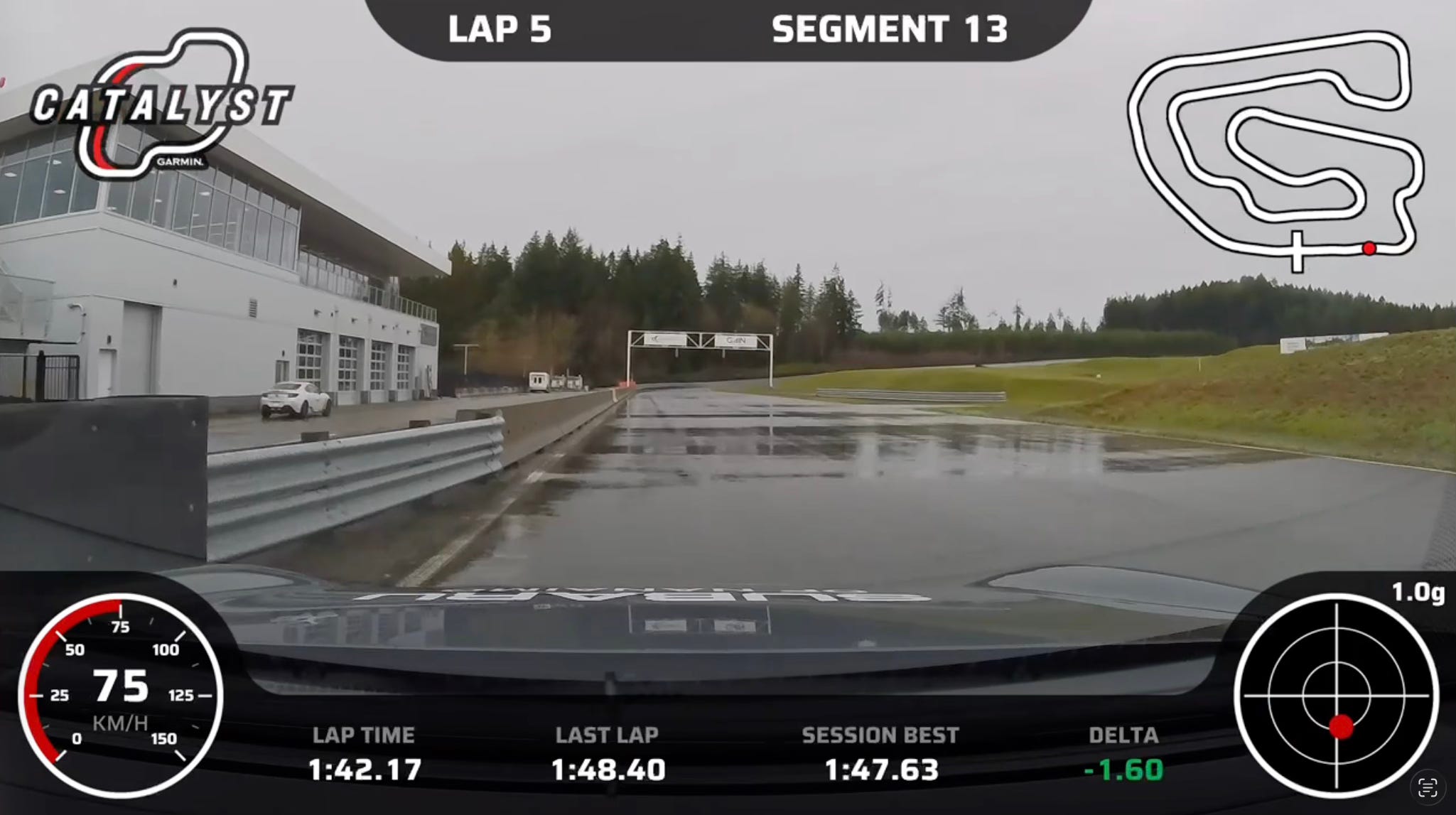
So, guess what? We did the same test at the Vancouver Island Motorsport Circuit. Am I going to tell you what we learned? Hmmmm… not yet! How about you come to the track and we can do some testing together?!! And to be fair, on the day we were testing, the weather conditions were changing, so I want to go back and test it again, just to make sure. But this is just one of the things that makes the Catalyst 2 so helpful.
If you’d like more information about the Garmin Catalyst 2, or are interested in buying one, use this link: https://www.dpbolvw.net/click-101098073-17249077
P.S. — With the launch of the Catalyst 2 happening this past week, it’s been “interesting” to read the various comments on social media. It’s funny how many people can find fault in things before they’ve even tried it, seen it, or learned enough about it to form an educated opinion.
At first, I was going to correct commenters, but decided I didn’t have enough time in a day to do that, and that some people on social media simply want to share their opinions. The commenters said things like:
Some people commented on the fact that the Catalyst 2 does not connect with a car’s OBD data, and that is correct (same was true for the original Catalyst). That is not its purpose. If someone needs information from the car, then use a data system that has that as its purpose. But if someone wants a tool to help them improve their driving, then the Catalyst 2 provides all that you need. Just like most data systems are designed for a specific purpose and market, so is the Catalyst 2.
There was a time when drivers thought—and were told and taught—all of one’s braking should be done by the time they turned into a corner. When a few people started deliberately teaching trail braking, drivers resisted. I get it. Change is difficult. But over time, that changed. There are very few drivers who don’t trail brake some amount, and I can honestly say that there isn’t a good instructor or coach who believes that getting all the braking done before turn-in is the only way to drive.
But, for many drivers, it took having an open mind and actually trying trail braking before they could change their thinking. While the Garmin Catalyst 2 is not for everyone, if you’re looking for a tool that will help improve your driving, keep an open mind, and learn how you could benefit from it.